
Important Reminders:
-
Your internet bill must total at least $50.
-
Only one receipt can be submitted for reimbursement each month.
- Be sure to submit your receipt in the same month it’s for–once the month ends, we can’t go back and reimburse it.
1. Log in to Rippling.
2. On the left side menu, click on Finance - Reimbursements.
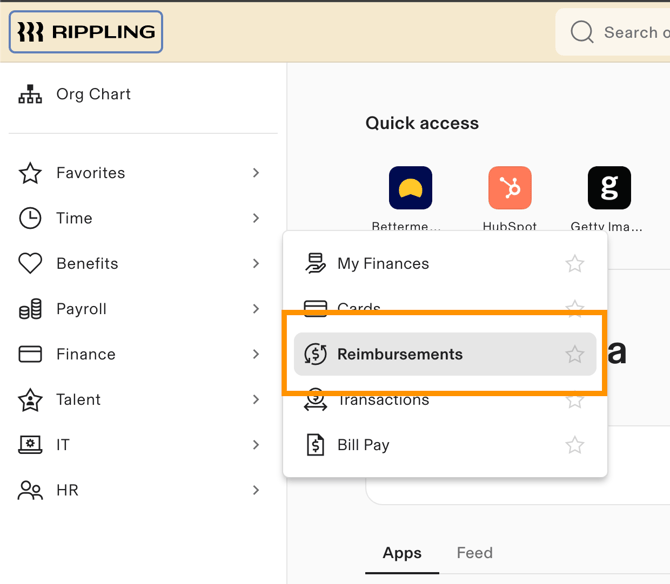
3. On the upper, right side, click on Submit reimbursement - Submit reimbursement.

4. Upload your internet bill/receipt.
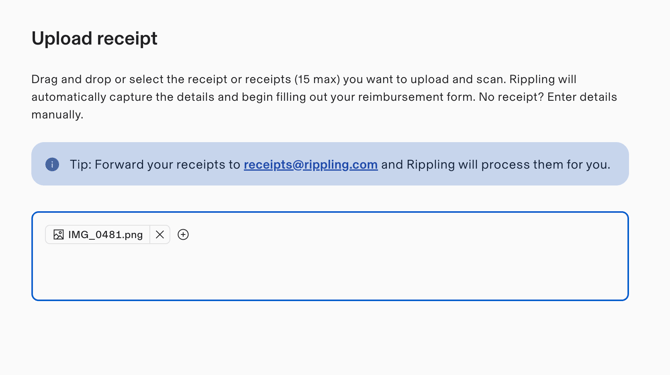
5. Click Continue at the bottom.
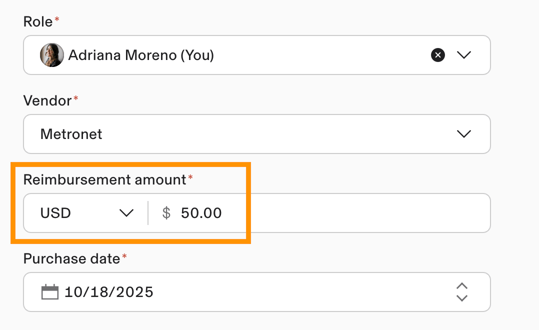
6. Under Reimbursement amount, update the amount to $50.
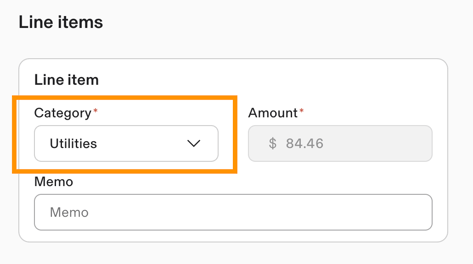
6. Scroll down and under Line items, select Utilities for the Category. Review the rest of your reimbursement details.
7. Click Submit if everything looks right and you’re done!